OzSec Learn to Solder — CTF Keyring Badge
Welcome to the Learn to Solder Village! This OzSec (ctf.ozsecurity.org) kit is a battery-powered keyring badge with three blinkie LEDs. It is a great first solder project — just a handful of through-hole parts, one battery clip, and a coin cell.
Follow the steps carefully and pay special attention to the parts that have polarity (the LEDs and the battery clip). If you can, test an LED first with a CR2032 battery: touch the long leg to the + side of the battery and the short leg to the − side, and it should light.
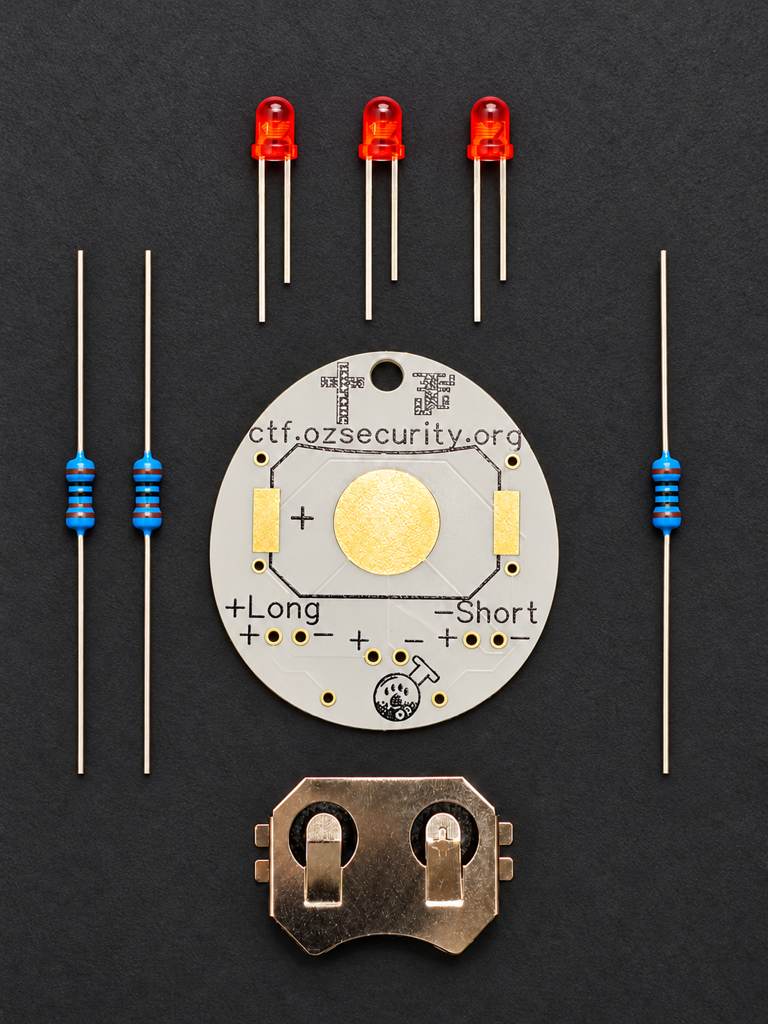
Tools Needed
- Soldering iron
- Solder
- Wire cutters / flush cutters
- Tweezers (optional)
- A CR2032 coin cell
Safety Tips
- Work in a well-ventilated area
- Wear safety glasses
- The soldering iron tip is extremely hot — set it in its stand, never on the bench
- When you trim leads with the flush cutters, hold the leg you are cutting so it doesn't fly off
Know Your Board
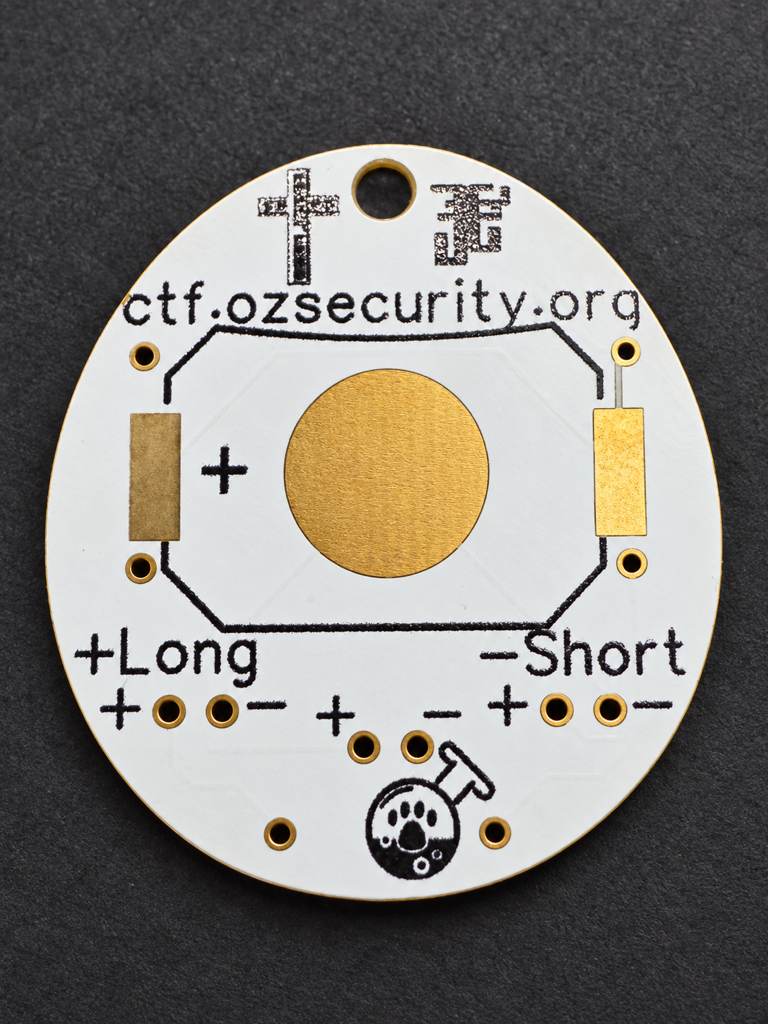
The badge has a front (the printed art side) and a back (the silkscreen side with the labels and the large clip pads).
- The LEDs and resistors are inserted from the front (art side) — their bodies sit on the front, and their legs poke through to the back where you solder and trim them.
- The battery clip mounts on the back (silkscreen side).
The back is labeled to help you place each part:
- The battery-clip footprint shows the clip outline with a U-shaped cutout at the top edge, plus + and − markings and the round coin-cell seat.
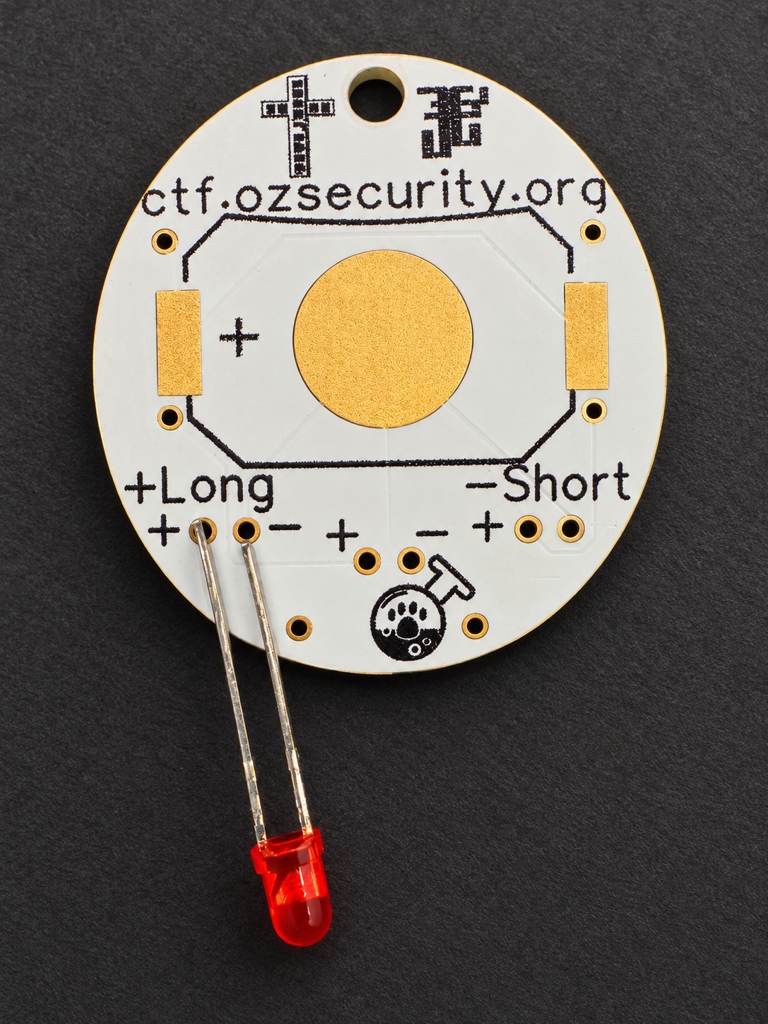
- Each LED location has a polarity legend:
+Longand−Short, with+and−marked next to the pad pair.
Component Installation
1. Battery Clip
CR2032 Coin-Cell Clip (Qty 1)
- Orientation is critical — get this one right before you solder.
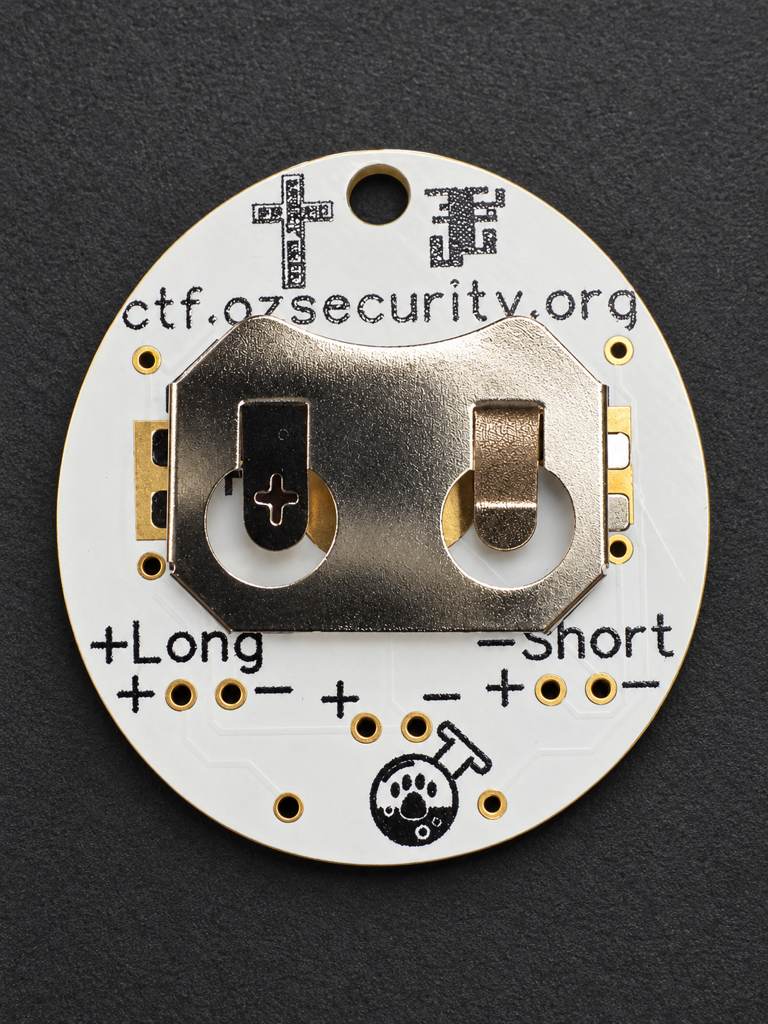
- Fit the clip onto the back of the board so the clip's U-shaped cutout aligns with the cutout on the silkscreen, at the top (toward the keyring hole). The round coin-cell seat should sit under the clip.
- Solder the clip's tabs to the board. These are large pads, so give them a moment to heat up and get a good, shiny joint.
Install the clip the right way around
The battery slides in from the open side of the clip. If the clip is soldered in backwards, the retention pins end up on the insertion side and physically block the coin cell from going in. Match the clip's U-shaped cutout to the one on the silkscreen (cutout to the top) before soldering.
2. LEDs
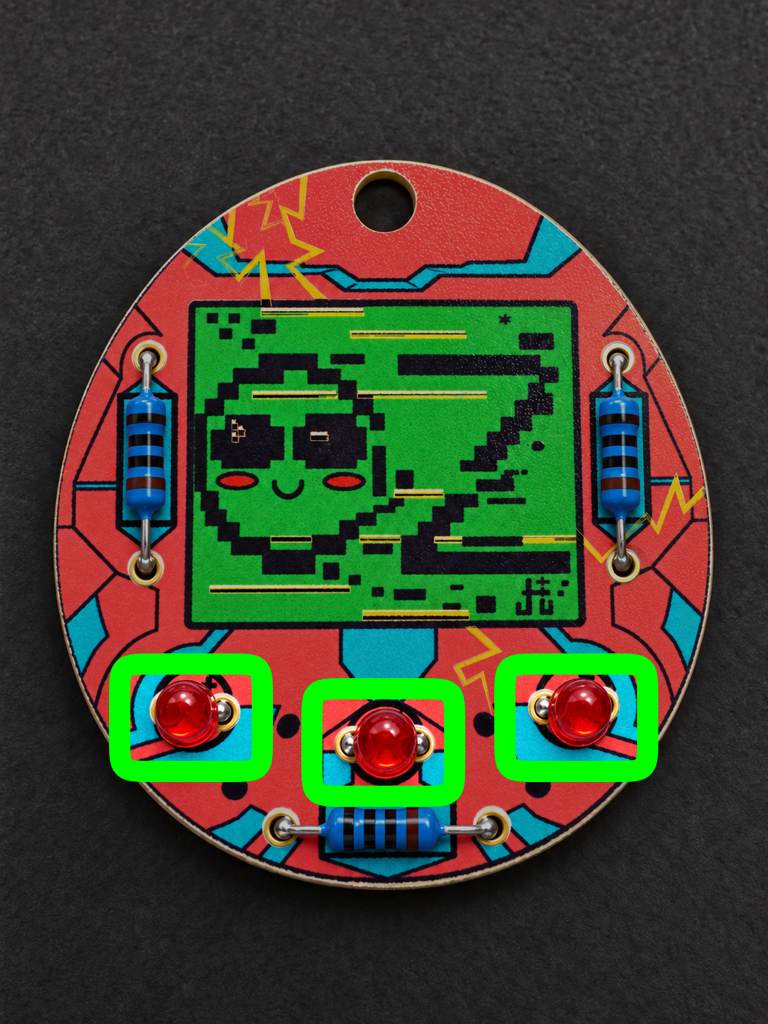
5mm Red LEDs (Qty 3)
- Polarity matters — this is the most important step to get right.
- Did you test your LEDs? You should test your LEDs! :)
- The longer leg is positive (anode) and goes into the hole marked
+(the+Longside). - The shorter leg is negative (cathode) and goes into the hole marked
−(the−Shortside). - Insert each LED from the front (art side) so the colored dome shows on the front, with the legs poking through to the back. Bend the legs slightly on the back so it doesn't fall out while you solder.
- Install all three LEDs the same way, then solder the legs on the back and trim them.
3. Resistors
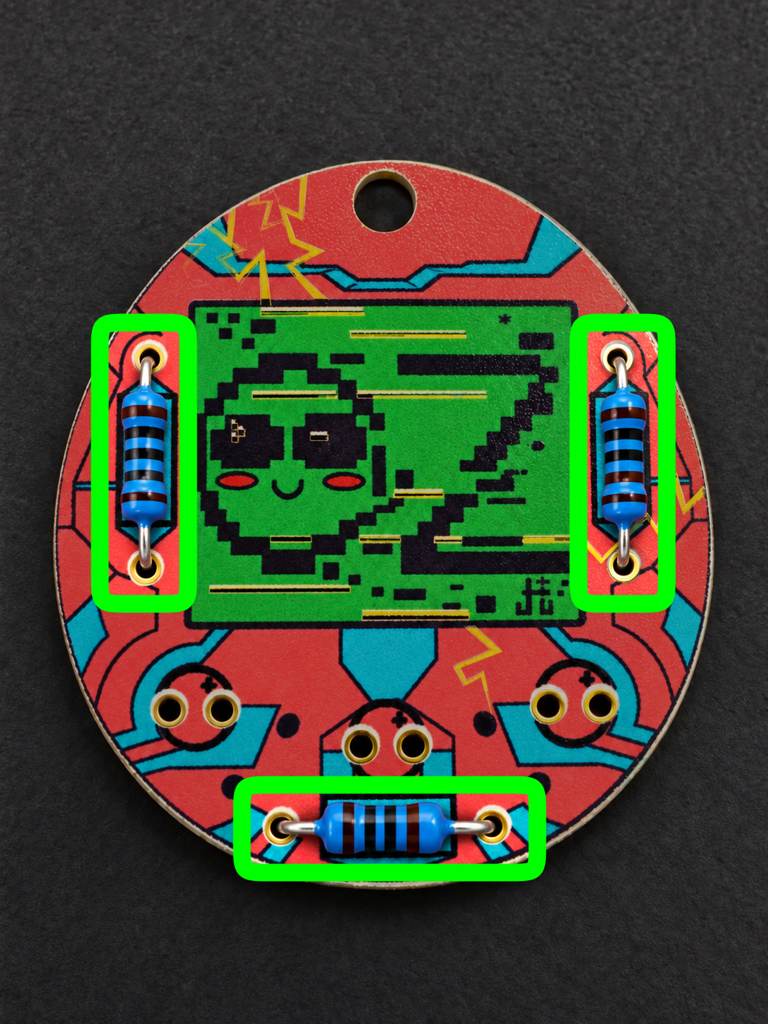
Current-Limiting Resistors (Qty 3)
- No polarity — these can go in either direction.
- There is one resistor per LED. All three are the same value.
- Like the LEDs, resistors install from the front (art side): insert each one into its resistor location, bend the legs on the back to hold it, then solder on the back and trim.
Powering Up
- Insert a CR2032 coin cell into the clip, matching the + side of the battery to the + marking on the board.
- The three LEDs should light up.
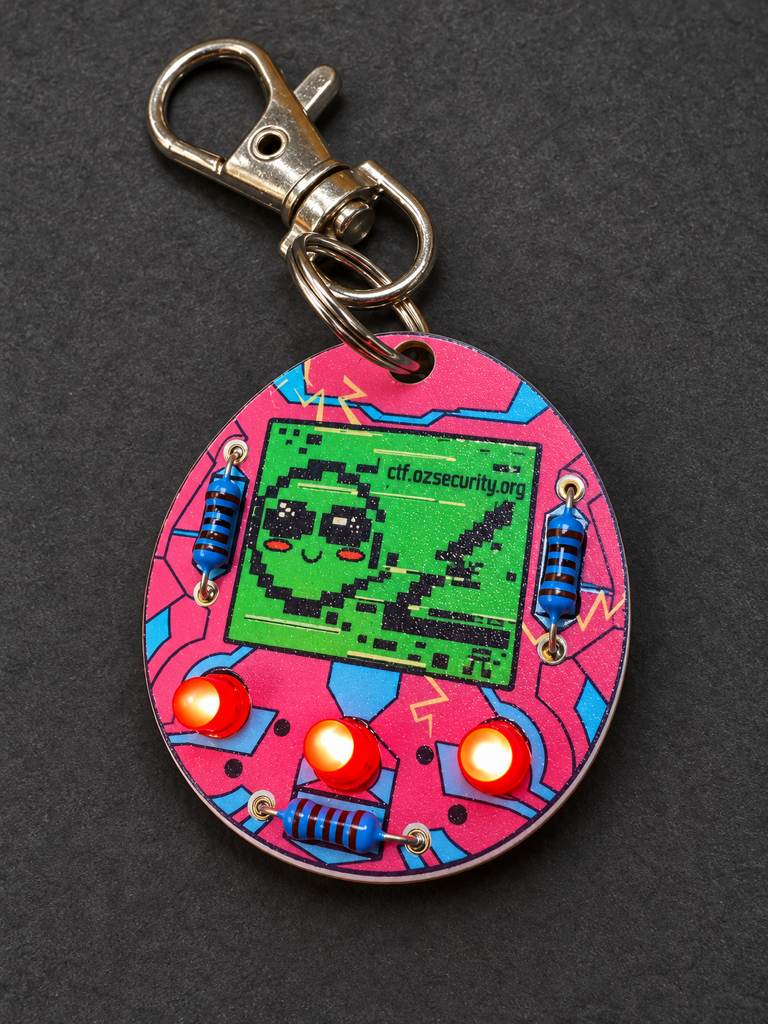
Clip the keyring through the hole at the top and you're done. Congratulations on your OzSec badge!
Troubleshooting
- An LED doesn't light: It's almost always polarity. Double-check that the long leg went into the
+hole and the short leg into the−hole, then check the solder joints. - No LEDs light: Check the battery is inserted + side up to match the board, and reflow the battery-clip solder joints.
- Flickering / intermittent: Reflow any joint that looks dull or ball-shaped — a good joint is shiny and cone-shaped.
Bill of Materials
| Component | Quantity | Polarity | Notes |
|---|---|---|---|
| PCB badge | 1 | — | ctf.ozsecurity.org keyring board |
| 5mm red LED | 3 | Yes | Long leg = +, short leg = − |
| Current-limiting resistor | 3 | No | One per LED; all the same value |
| CR2032 coin-cell clip | 1 | — | Orientation matters: U-cutout to the top |
| CR2032 coin cell | 1 | Yes | + side up |